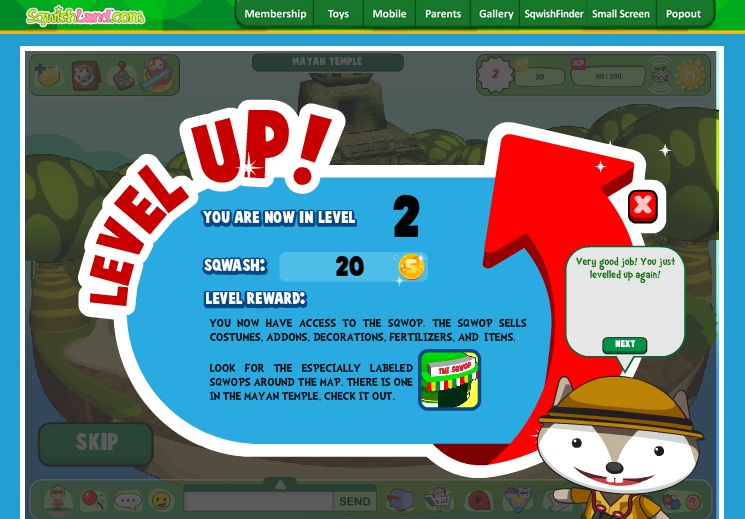
Did you know that you get instant rewards every time you level up in SqwishLand?
For starters, here is a list of what you will win when you reach Levels 1 to 5:
I'll share with you guys what other great things you can get on the next levels soon!
- SqwishyJoey
Showing posts with label sqwishland. Show all posts
Thursday, February 23, 2012
Thursday, February 16, 2012
SqwishLand Avatar of the Moment: Cupid Avatar
This valentine's season, the hottest costume in SqwishLand is the Cupid Avatar! This is one costume that I gotta have this month! After all, Valentine's Day only comes once a year.
Look at how MODJirah looks so cute with the Cupid Avatar. The avatar even has wings!
To get the Cupid Avatar, all you need to do is beat the Valentine's game – Happy Hearts Jigsaw Puzzle at the Hearts Garden Room.
Sunday, January 29, 2012
SqwishLand Medals
SqwishLand Gamer
SqwishLand Medals
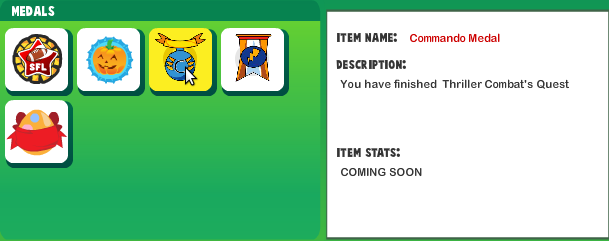
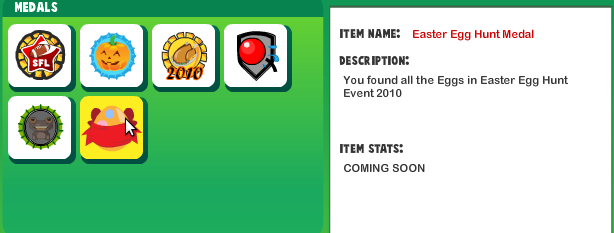
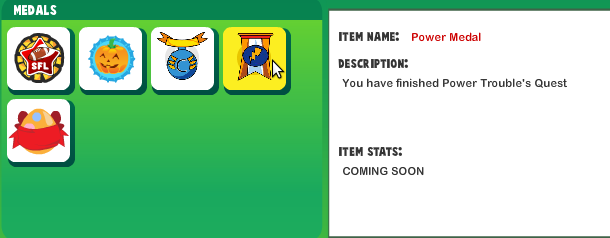
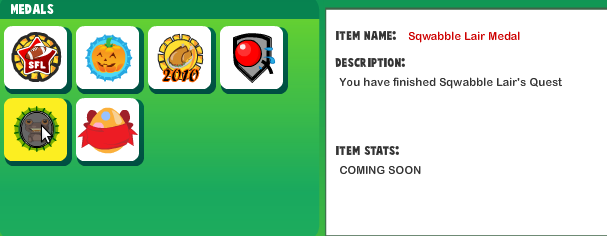
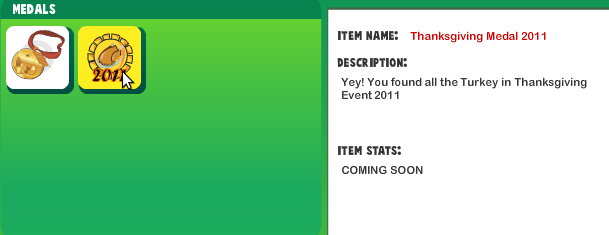
Great achievements deserve recognition and awards. That's why SqwishLand players are rewarded with medals!
Here are the SqwishLand medals and how you can get them:


You can find the medals you’ve earned in your Profile at the SqwishLaunch Pad.
Hope this was helpful! See you online!
-SqwishyJoey
virtual pets
SqwishLand Medals
Great achievements deserve recognition and awards. That's why SqwishLand players are rewarded with medals!
Here are the SqwishLand medals and how you can get them:
You can find the medals you’ve earned in your Profile at the SqwishLaunch Pad.
Hope this was helpful! See you online!
-SqwishyJoey
virtual pets
Wednesday, December 21, 2011
How to Resend Activation Code
One of the most important steps in creating a SqwishLand membership is activating your account using your parent's email address. If you still haven't activated your account because you did not receive any activation email, you should resend the activation code. I'll show you how:
1. In the SqwishLand login page, click the Resend Activation Code button. It's the blue one with the Sqwolphin.
2. After clicking the button, you will be directed to this page. Just type in your parent's email address and your user name, then hit SEND.
3. Ask your mom or dad to look for the activation email and follow the instructions to activate your account.
See you online!
- SqwishyJoey
Wednesday, August 17, 2011
How to join the Mighty Feathers Mighty Battle
Every two weeks, SqwishLand picks a minigame for the Mighty Feathers Mighty Battle. Whoever gets the top 3 highest scores by the end of the battle will win lots of Sqwash. Joining is easy, here’s how:
1. Log in to SqwishLand.com. Upon entering the virtual world, you will instantly see an icon in the room. The icon depends on which minigame is chosen as the Mighty Feathers Mighty Battle. In this screenshot, there’s a fruit basket located at the back of the barn museum because the current minigame is Lala Food Fight.
2. Click on the fruit basket. You’ll see a pop-up window like this.
3. Click PLAY NOW. Enjoy the game and try to get the highest possible score!
4. If you played really well, you can be one of the top 3 highest scorers who will win lots of Sqwash!
Best of luck, guys! That easy SqwishLand tutorial was brought to you by SqwishyJoey!
Virtual Pets
Thursday, August 11, 2011
How to Use the SqwishLand Panel Part 2
6. Sqwishcard. Here you can see your virtual emails from your buddies.

7. SqwishLand Gallery. If you want to get a new SqwishLand pet or just see the huge collection of SqwishLanders, click this icon.

8. Quest. Take on quests to win special items and earn Sqwash and XP points. Going on quests also allows you to earn more about SqwishLand.

9. Buddies. Click this icon to view and manage your list of SqwishLand buddies.

10. News. The SqwishTimes is SqwishLand’s official newspaper. If you want to know the latest news on SqwishLand, click the icon and read up!

11. Inventory. Click this to view and manage the items that you already bought.

12. SqwishMap. Use the SqwishMap to find your way around the virtual world of SqwishLand.

That was really easy, right? The SqwishLand panel comes in really handy whenever you play, so it’s best that you know how to use it.
See you online!
Tuesday, August 9, 2011
How to Use the SqwishLand Panel
Hi guys! For this week’s tutorial, I’ll show you how to use the SqwishLand panel. But wait. You might be wondering, “What’s the SqwishLand panel?” It’s the row of icons at the bottom of your game screen that you can use to do a lot of fun things.

2. Next is the Throw icon. You can throw things like water balloons. Just use your mouse to choose a target.

3. Then we have the Quick Chat icon. You can choose from a list of ready-to-use words and phrases when chatting with other SqwishLand players.
4. Emoticons. These are cute smileys or symbols that you can use to express yourself when chatting with your buddies.

5. Chat box. Just type in anything that you want to say in the empty box. You can use this when you want to have longer conversations with other players.
To be continued..
Wednesday, August 3, 2011
Let’s Play Dress Up!
I really like changing my avatar’s look every now and then. Who doesn’t anyway? Yes it can get costly sometimes, but dressing my avatar up—especially during holidays like Easter and Christmas—can be really fun. There are also games organized by the mods that require players to wear specific costumes to be able to join. So for today, I’ll be showing you how to buy costumes for your avatar.
1. Find a Sqwop, and click Avatars.
2. A pop-up message will appear. Browse through the costumes until you decide which one you like.
3. I personally like hip hop music, so I think I’ll get this hip hop head. Click Try to see what it looks like on your avatar.
4. If you like it and you’d like to make the purchase, click Buy.
5. A pop-up message will confirm that you’ve successfully bought the item.
6. If you want to use your newly bought item, look at your Inventory.
7. You will see the item together with your other costumes.
That was really easy huh? Go ahead and experiment with your avatar’s style. Enjoy!
SqwishyJoey
Virtual Pets
Thursday, June 23, 2011
Game of the Moment Challenge
Every two weeks, Sqwishland announces a Game of the Moment. A minigame is chosen and whoever gets the highest score will win Sqwash. So I took on the challenge and played this week's Game of the Moment: Sqwabble Rush.
The objective of the game is to shoot the approaching Sqwabbles with the help of a Sqwabble detector.
I couldn't take a screencap while playing the game because I was panicking, LOL. Those Sqwabbles approached slow at first but as I progressed to next levels, they got faster!
In the end, challenge failed. I only got a score of 628. :/ Oh well, at least I tried. That game was hard, but it was FUN!
And I got XP points and Sqwash, so I didn't really lose.
Have you guys seen the highest scorers so far? They're AMAZING. They're like Sqwabble Rush masters.
Have fun playing and goodluck!
SqwishyJoey
Virtual Pets
Tuesday, June 7, 2011
Sqwishland 2.0 is here!
When I logged in to Sqwishland the other day, I was surprised to see this guy:
Turns out, this player tutorial is one of the newly added features for the launch of Sqwishland 2.0. Squizel was really cute, specially when he started to walk forward and wave his hand.
Squizel taught me the basic tasks in Sqwishland, like walking my avatar from one place to another.
Whenever I successfully do each task that Squizel taught, I leveled up, got bonus Sqwash and earned items like the SqwishMap.
Also, the SqwishMap now has hidden areas! Which means that I will only gain access to some areas when I level up. It's so exciting! My playtime in Sqwishland will be more challenging, I love it!
I was even given a free item from the Sqwop. I chose to get the Cave TV, it looked really cool. If only I can get something like that for my room in the real world too, hmmmm.
That was a really cute and easy tutorial by Squizel. Just by finishing the tutorial, I instantly got to level 4 and got bonus Sqwash. So if I were you, don't skip it, okay?
What level are you guys in now? :)
Tuesday, May 17, 2011
Sqwishland goes Mobile!
Hello there guys!
Look what I just discovered on Sqwishland.com! I rested from playing minigames for a while and explored the website and I found out that sqwishland have games for mobile too! Sqwishland’s site has got many features, I hope I can explore and visit all of them. For now, I’m gonna try this mobile games. Im not sure though if these are games are for iPhones and iPads only, but that’s what they say on the website.
So I borrowed my pop’s iPhone and searched for these 2 games in the app store. The first one, Sqwishlander Rush costs $0.99 only while the Sqwishfinder’s for free! Exciting! I haven’t tried it yet though. Will ask permission from my dad if he could help me download and play this Sqwishfinder game. I’m sure you’d love it too! Try it out now!
Till the next adventure!
sqwishyJoey
Subscribe to:
Posts (Atom)